
Technology can feel intimidating, especially when you’re excited to identify the beautiful bird identification app that just landed in your backyard. The wonderful news is that today’s bird identification apps are designed with simplicity in mind, making them perfect companions for your birdwatching adventures.
Think of these apps as having a knowledgeable birding friend right in your pocket—one who never gets tired of your questions and is always ready to help. The best apps combine the expertise of ornithologists with user-friendly design that makes identifying birds as simple as taking a photo.
This guide focuses on the most senior-friendly bird identification apps that are not only free to use but also designed with larger text, clear buttons, and straightforward navigation that won’t leave you frustrated.
Why Apps Beat Traditional Field Guides
Traditional field guides served birders well for decades, but modern apps offer several advantages that make them especially appealing for new birders over 50. Apps eliminate the need to flip through hundreds of pages while a bird flies away, and they’re always with you—no more forgetting your field guide at home.
The real game-changer is that apps can identify birds from photos, sounds, and even simple descriptions. This means less frustration and more successful identifications, which keeps the hobby enjoyable and encouraging.
Most importantly for seniors, apps offer adjustable text sizes, clear images, and the ability to save your discoveries for later review—features that printed guides simply can’t match.
Merlin Bird ID: Your Best Starting Point
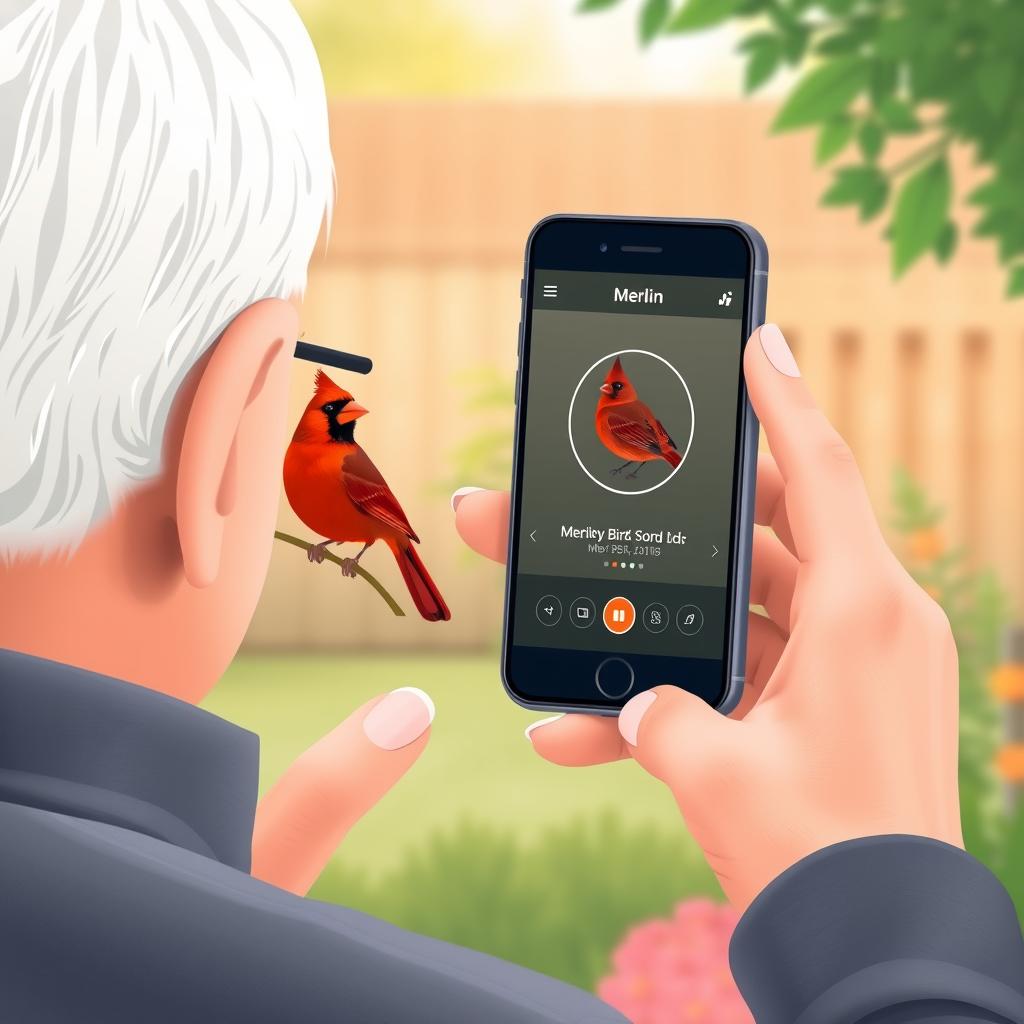
Merlin Bird ID stands out as the clear winner for seniors new to bird identification. Developed by Cornell Lab of Ornithology, this free app has been specifically designed with accessibility and ease of use in mind.
What makes Merlin exceptional is its multiple identification methods. You can take a photo of a bird, record its song, answer simple questions about size and color, or browse by location. This flexibility means you’ll always have a way to identify birds, regardless of the situation.
Step-by-Step Guide to Using Merlin
Getting Started (First Time Setup)
Download Merlin from your phone’s app store (it’s completely free). When you first open it, allow the app to access your location—this helps it show you birds that actually live in your area, making identification much more accurate.
Photo ID Feature
This is often the easiest method for beginners. Simply take a clear photo of the bird, and Merlin will analyze it and suggest possible matches. The app works best when the bird fills most of the photo frame.
Sound ID Feature
Record bird songs or calls by tapping the microphone icon. This feature is particularly helpful for identifying birds you hear but can’t see. Hold your phone steady and try to record for at least 10-15 seconds.
Explore Birds Feature
Browse birds commonly found in your area by date and location. This is perfect for learning about your local bird community before you even step outside.
eBird: Your Digital Bird Journal
The eBird app serves as your personal birdwatching journal and connects you to a global community of bird enthusiasts. While primarily designed for recording sightings, it also helps with identification through its extensive database and real-time sighting information.
What makes eBird particularly valuable for seniors is its ability to track your progress over time. You can see how many different species you’ve identified and even contribute your sightings to scientific research—giving your hobby a meaningful purpose beyond personal enjoyment.
- Personal tracking: Keep a digital life list of all the birds you’ve seen without the risk of losing a paper notebook.
- Location-based suggestions: See what birds other people are spotting in your area right now.
- Seasonal patterns: Learn when different birds are most likely to visit your area throughout the year.
- Community connection: Connect with local birders and learn about nearby hotspots.
Other Senior-Friendly Options
🌿 Audubon Bird Guide
Classic field guide information in app format with excellent photos and range maps. Great for users who prefer traditional guide layouts.
🔍 iNaturalist
General nature identification app that includes birds plus plants, insects, and other wildlife. Perfect for seniors interested in nature beyond just birds.
📚 iBird
Comprehensive guide with detailed illustrations and extensive information. Best for those who want encyclopedia-level detail about each species.
Accessibility Tips for Senior Users
Modern smartphones offer excellent accessibility features that make bird apps even easier to use. Here are the most helpful settings to adjust:
Text Size and Contrast
Both iPhone and Android devices allow you to increase text size system-wide, making all app text larger and easier to read. Look for “Accessibility” in your phone’s settings.
Voice Control
Most phones offer voice commands that can help navigate apps hands-free. This is particularly useful when you’re holding binoculars and spot an interesting bird.
Screen Brightness
Outdoor use often requires maximum screen brightness. Consider enabling “Auto-Brightness” so your phone adjusts automatically to lighting conditions.
Troubleshooting Common Issues
Even the best apps occasionally present challenges. Here are solutions to the most common problems seniors encounter:
- App won’t identify my photo: Try taking the photo from a different angle or distance. Birds need to be clearly visible and well-lit.
- Too many suggestions: Use additional filters like size, location, or time of year to narrow down options.
- App seems slow: Close other apps running in the background to free up your phone’s memory.
- Can’t find the bird I saw: Remember that some birds look very different between males/females or seasons. Check alternative views.
Building Confidence with Apps
The key to success with bird identification apps is starting small and building confidence gradually. Begin by using the apps to identify common backyard birds you see regularly—cardinals, robins, blue jays. This helps you learn how each app works without the pressure of identifying something completely unknown.
Practice using different features of your chosen app during quiet moments at home. Take photos of birds at your feeder, record sounds from outside your window, or simply browse through the local bird list. Familiarity with the app’s layout makes field identification much smoother.
Pros and Cons of Bird ID Apps
Always in your pocket
Never forget your identification guide at home again—your phone is always with you.
Multiple identification methods
Photo, sound, and description options mean you can identify birds in any situation.
Constantly updated
Apps receive regular updates with new features and improved accuracy.
Requires battery and signal
Dead batteries or poor cell coverage can leave you without identification help.
Learning curve
Initial setup and familiarization takes time, though most apps are designed to be intuitive.
Screen visibility outdoors
Bright sunlight can make phone screens difficult to see clearly.
Frequently Asked Questions
Do I need an internet connection to use bird identification apps?
Merlin works offline once you download regional bird packs, making it perfect for remote locations. eBird requires internet for submitting sightings but can store them locally until you’re connected.
How accurate are these apps for identifying birds?
Apps like Merlin are remarkably accurate, especially for common species. However, they work best as guides to narrow down possibilities—final identification often requires careful observation of the actual bird.
Can I use these apps if I don’t take photos well?
Absolutely! Merlin offers multiple identification methods including sound recording and answering simple questions about size, color, and behavior. You don’t need to be a skilled photographer.
Are there any costs associated with these recommended apps?
All the main apps mentioned (Merlin, eBird, Audubon) are completely free. Some apps offer premium features for a fee, but the free versions provide everything most birders need.